

Tag Archives: Leather Printing Machine
How to choose a Leather Printing Machine for printing custom products: 6 key factors

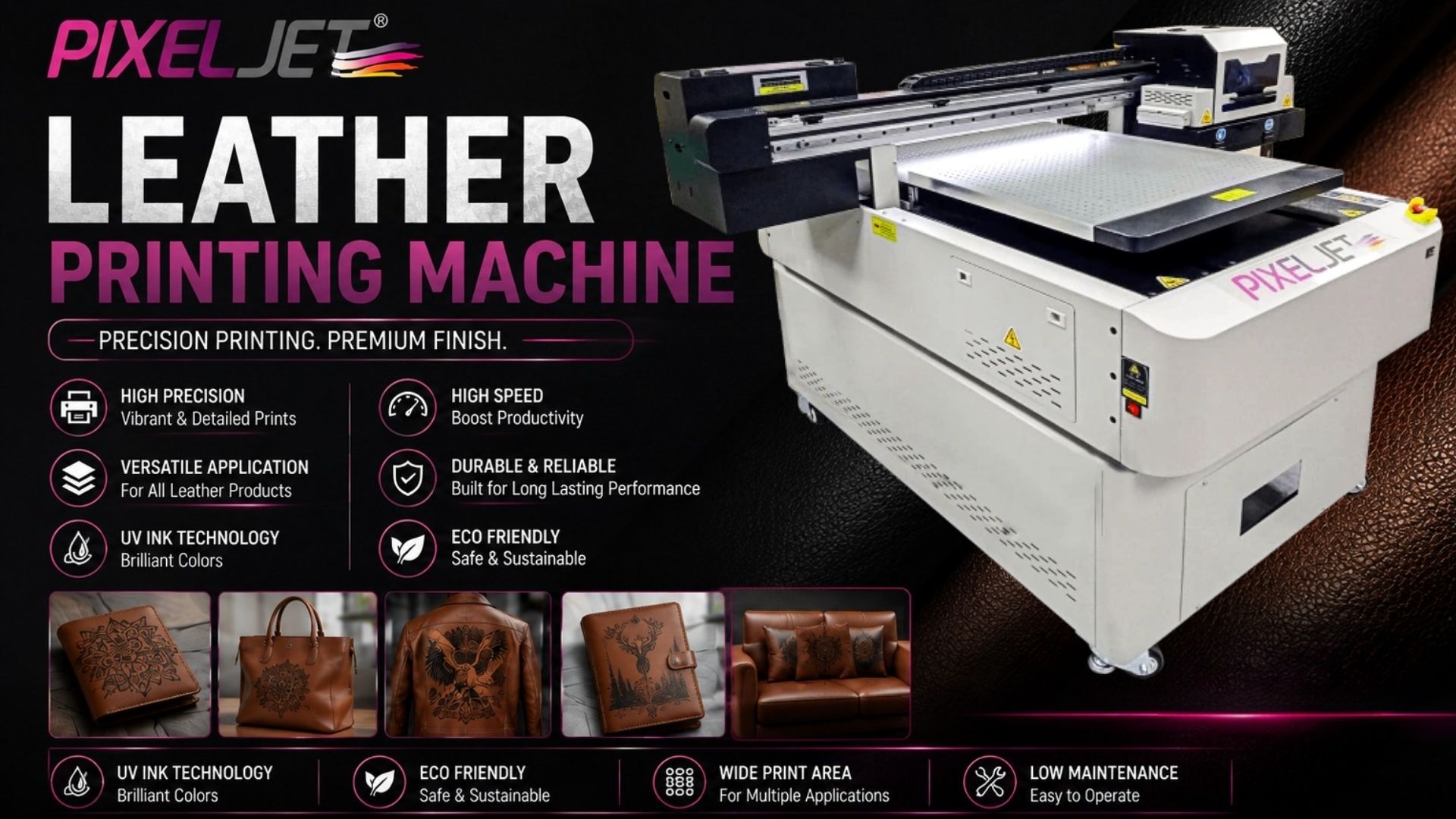
Custom leather products are widely used for branding, personalization, gifting, and premium merchandise. Businesses looking to add logos, names, graphics, or patterns need a printing solution that can handle their specific materials while maintaining consistent quality. But choosing a Leather Printing Machine involves more than comparing machine prices. Print area, substrate compatibility, production volume, ink adhesion, print consistency, maintenance, and after-sales support can all affect the final investment.
Before choosing a machine, it is important to understand how UV printing works and whether it is suitable for the leather products you plan to produce.
What is a Leather Printing Machine?
A Leather Printing Machine is a digital printing system that applies artwork directly onto a suitable leather or synthetic-leather surface. In UV printing, the printer applies specially formulated ink onto the material and uses ultraviolet light to dry the printed layer.
This digital workflow allows businesses to change artwork from one job to another without creating conventional printing plates, making it useful for personalized products, prototypes, short runs, and variable designs. For a basic overview of the technology, refer to this Digital Printing guide.
Which types of leather can be printed?
Genuine leather, PU leather, synthetic leather, and coated leather can be suitable for digital or UV printing, but results vary based on surface texture, coating, and finish.
Before choosing a Leather Printing Machine, test your actual material for:
- Ink adhesion
- Color and detail reproduction
- Surface finish
- Flexibility and abrasion resistance
- Overall print durability
A material that prints well in testing should still be evaluated under normal product use before full-scale production.
6 Key Factors to Consider
1. Check material compatibility
Start with the products you actually plan to manufacture. A smooth PU wallet may behave differently from a textured leather bag or coated accessory. Ask the supplier for sample printing using your actual material before beginning commercial production.
2. Match the print area to your products
Print-bed size should match your product dimensions and workflow. A larger bed can accommodate bigger products or multiple smaller pieces in one batch, but it can also increase the overall investment.
The Pixeljet® GENIX 6090 offers a maximum print size of 600 × 900 mm and is positioned as a UV flatbed printer for product customization and small UV printing businesses. It uses an EPSON i3200 printhead and UV-technology based inks, along with a dual UV-lamp water-cooling system.
For leather applications, businesses should test the intended leather or synthetic-leather substrate before production.
3. Evaluate printhead and print quality
Leather products often include small logos, names, fine text, and detailed patterns, so the printer should reproduce these elements clearly and consistently. When comparing a UV Flatbed Printing Machine, focus on the actual print quality rather than specifications alone.
Consider:
- Printhead technology: Affects print detail, consistency, and production speed.
- Print quality: Check how clearly the machine reproduces small text, logos, and detailed designs.
- Color consistency: Important when printing the same design across multiple products.
- White ink: Useful for printing on dark or colored leather.
- Print repeatability: Ensures consistent results across different products.
Before buying, request samples using your actual leather material and artwork. This provides a more realistic assessment of the machine’s performance.
4. Consider print quality and surface finish
A UV LED Printer Machine prints directly onto the leather surface using UV-based printing technology. For leather applications, consider colour accuracy, fine-detail reproduction, ink adhesion, and the overall appearance of the finished print.
Print results can vary depending on ink formulation, leather coating, surface texture, print settings, and material preparation. Before selecting a machine, test it with your actual leather materials to evaluate colour consistency, detail quality, adhesion, and surface finish.
5. Match production volume to machine capacity
A business producing personalized wallets may have different requirements from one printing larger leather panels or handling bulk orders.
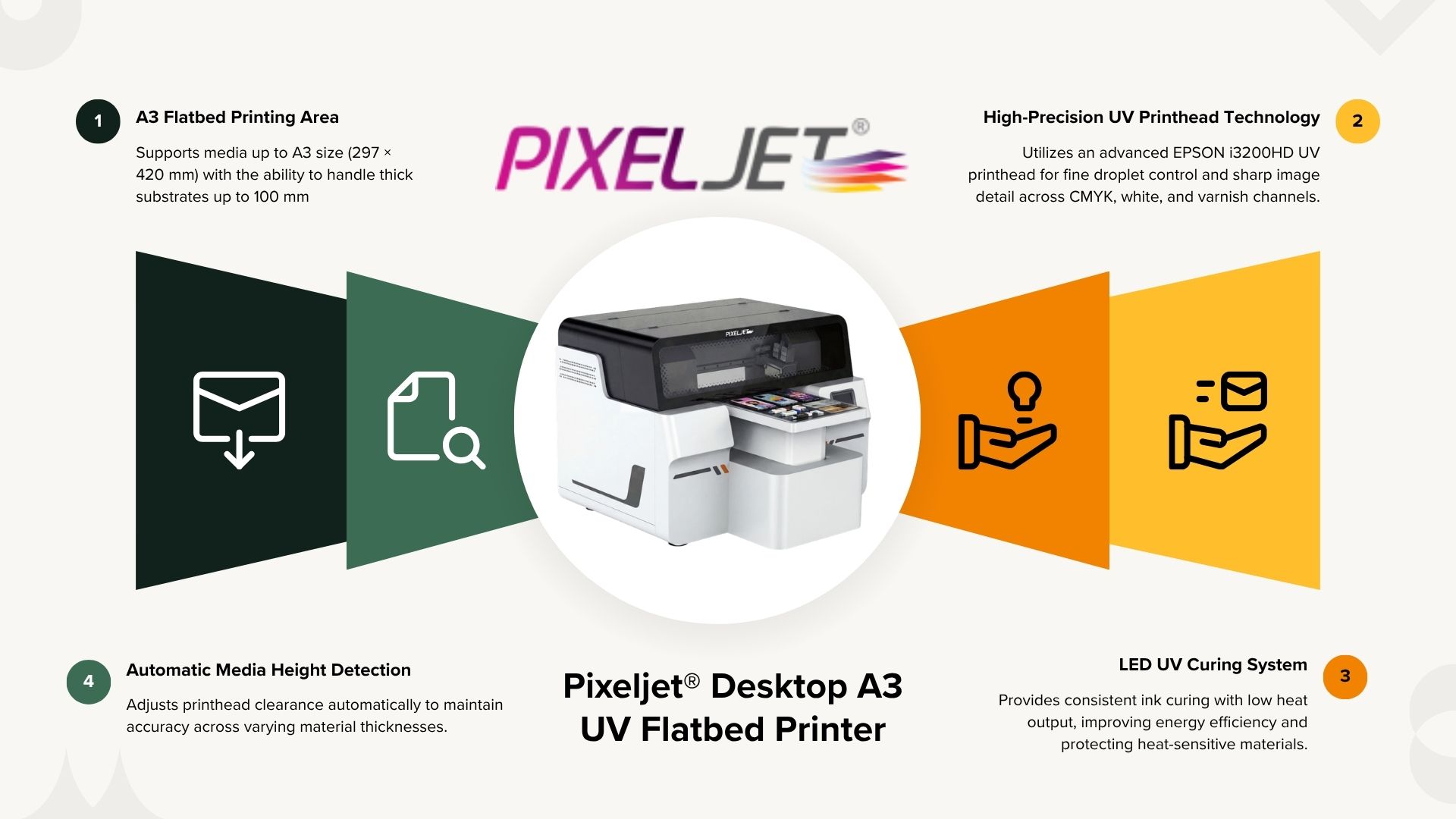
The Pixeljet® Desktop A3 UV Flatbed Printer supports an A3 printing area of up to 297 × 420 mm and material thickness up to 100 mm. Its product information also lists leather among its specialty-material applications.
It can be considered for smaller products, samples, personalized orders, and relatively limited production volumes.
6. Compare total cost and after-sales support
The purchase price is only one part of the investment when choosing a Leather Printing Machine. Businesses should consider the ongoing costs of operating the machine and the level of support available after installation.
Before making a decision, evaluate:
- Ink and consumables: Estimate the cost of ink and other regularly replaced materials based on your expected production.
- Printhead and maintenance: Check cleaning requirements, printhead lifespan, servicing, and replacement costs.
- Electricity and operating costs: Consider power consumption and other recurring expenses.
- Software and accessories: Check whether required software, fixtures, tables, or attachments are included.
- Installation and training: Confirm whether the supplier provides machine installation, operator training, and setup assistance.
- Spare parts and service: Check the availability of replacement parts and technical support in your region.
- Warranty: Understand what is covered, for how long, and which components are excluded.
A reliable Leather Printing Machine Manufacturer should also be able to provide sample testing and practical guidance on the materials you intend to print. Instead of choosing a machine solely because it has a lower purchase price, compare its total cost of ownership, expected production requirements, and long-term support.
Leather Printing Machine vs Traditional Printing
UV digital printing and traditional printing methods can both be useful, depending on the application. Digital printing is flexible for customized products, short runs, and frequently changing artwork, while some traditional methods can remain practical for repeat, high-volume production.
| Factor | UV Digital Printing | Traditional Printing |
| Design changes | Easy to change | May require additional setup |
| Short runs | Flexible | Depends on the method |
| Personalization | Well suited | Can be more limited |
| Setup | Digital workflow | May involve plates or screens |
| Variable designs | Convenient | Often requires more preparation |
| Repeat production | Flexible | Can suit certain applications |
The most suitable printing method depends on production volume, product requirements, customization needs, turnaround time, and long-term operating costs.
What can you print on leather products?
Depending on material compatibility and machine configuration, businesses can explore printing for:
- Wallets and card holders
- Bags and handbags
- Belts
- Footwear
- Accessories
- Promotional merchandise
- Personalized gifts
- Branded products
The final result depends on the material’s surface and finish, so production samples should be tested before accepting larger orders.
Leather Printing Machine Cost: Key expenses to consider
The Printing machine cost should be evaluated as a complete ownership cost rather than a single purchase figure. The initial machine price is only one part of the investment.
| Cost Factor | What to Consider |
| Machine Investment | Printer configuration, print size, and automation |
| UV Ink | Ink consumption and cost per print |
| Printheads | Replacement frequency and maintenance cost |
| Maintenance | Cleaning, servicing, and spare parts |
| Electricity | Power consumption during printing and drying |
| Software & Accessories | RIP software, vacuum system, and other equipment |
Choose the right printing solution for your business
Choosing a Leather Printing Machine should start with the products and materials you plan to print. Test the actual leather, check ink adhesion and print quality, compare print area and production capacity, calculate running costs, and consider maintenance and technical support before making a decision.
If you’re evaluating UV printing for custom leather products, Pixeljet® can help you assess suitable printing options based on your material, product size, and production requirements. Contact our team to discuss your application and explore the right machine configuration for your needs.
Can a UV printer print on leather?
Yes. UV printing can be used on suitable genuine, PU, synthetic, and coated leather after material testing.
Which types of leather can be printed?
Genuine, PU, synthetic, and coated leather can be printed, but results depend on the surface, coating, and finish.
Can UV printing be used on leather wallets and bags?
Yes. It can be used for logos, names, patterns, and graphics on wallets, bags, belts, footwear, and accessories.
Does leather need special preparation before UV printing?
It depends on the material. Surface preparation may be required to achieve better ink adhesion and print durability.
How do I choose the right Leather Printing Machine?
Consider your leather type, product size, print volume, print quality requirements, operating costs, and technical support.
Is a Desktop UV Printer suitable for leather products?
It can be suitable for smaller products, samples, personalized orders, and lower production volumes.